Visible sensitive content
Names, email addresses, phone numbers, account identifiers, contract terms, customer details, and other information shown on the page.
Local-first Windows app · Available now
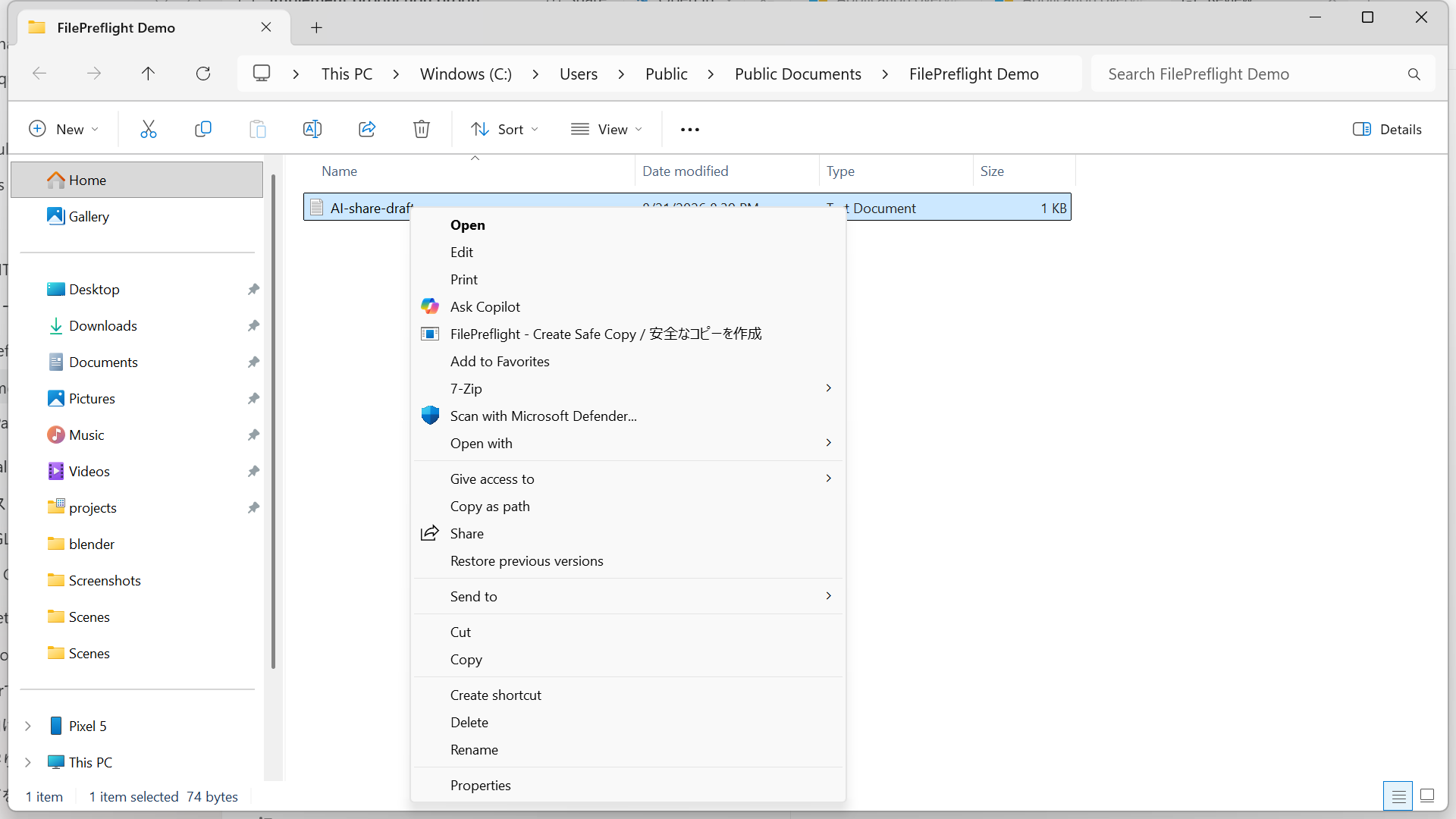
FilePreflight is a Windows app for inspecting supported sensitive content, hidden metadata, and risky file elements on-device—then exporting a separate copy for you to review before an AI upload.
What “safe” means here: reducing identified exposure in supported file types—not a guarantee that a file is anonymous, compliant, or risk-free. Automated detection is best-effort, so review the exported copy before uploading.
FilePreflight Free is available on Microsoft Store. Pro is available as a USD 29 one-time purchase with no subscription.
Visible contentNames, email addresses, account details
ReviewHidden file dataComments, notes, embedded elements
InspectMetadata & secretsProperties, tokens, configuration values
ScanBefore ChatGPT, Claude, Gemini, or another AI service
Copying a document and deleting a name may leave other clues behind. A useful AI document sanitizer must separate what is visible from what can be stored inside the file.
Names, email addresses, phone numbers, account identifiers, contract terms, customer details, and other information shown on the page.
Comments, tracked changes, hidden text, hidden sheets, speaker notes, embedded files, and other format-specific content outside the normal view.
Author and company properties, document history, image metadata, API keys, tokens, passwords, connection strings, and configuration values.
Microsoft documents hidden Office data that may require inspection, while Adobe distinguishes visible PDF redaction from hidden-data sanitization. See the primary sources.
A reviewable preflight, not a magic “safe” badge
The workflow keeps the decision with the person who understands the file and the destination.
Decide what the AI actually needs. Remove entire sections, sheets, or fields that are unnecessary before relying on pattern detection.
Review visible content, file properties, hidden elements, and supported credential patterns using checks appropriate to the format.
Remove, replace, or generalize selected findings. Context matters, so the software should assist your judgment rather than silently decide for you.
Write a separate copy, reopen it, confirm it is readable, scan it again, and review that exact output before uploading.
Evidence over slogans
Public evidence records are separate from product availability. Until a release-build record is published, this page labels that evidence as pending.
A dated, reproducible test with the environment, method, and observed network behavior documented.
Method and status →Educational PDFs compare visual covering with a separately authored file in which the test values are absent. They are explicitly not FilePreflight output.
Open the demo →Per-format coverage for inspection, transformation, rechecking, and cases that still need manual work.
Coverage status →A findings and recheck summary—presented as a review aid, never as security certification.
Record criteria →Inspection layers
Each file format stores information differently. FilePreflight applies supported, format-aware checks and shows what still needs review.
Supported patterns for personal and business identifiers in visible or extracted content.
Context-sensitive facts may not match a rule.Supported comments, notes, hidden content, attachments, and other embedded elements.
Coverage varies by format and file structure.Supported author, company, title, timestamp, image, and document-property fields.
Some properties may be stored outside tested fields.Supported API-key, token, password, connection-string, and configuration patterns.
If a secret was exposed, revoke or rotate it.Initial Windows coverage
The Windows release supports the 17 extensions below. Public evidence records remain separately labelled until reproducible release-build results are published.
| File group | Supported extensions | Inspection focus | Important limits |
|---|---|---|---|
| Documents & Office | .pdf .docx .xlsx .pptx | Visible text, supported metadata, comments, notes, hidden or embedded elements | Encrypted files, macros, linked content, complex objects, and formula effects may require manual work |
| Images | .jpg .jpeg .png | OCR text and supported image metadata | OCR depends on image quality, layout, language, and handwriting; visual review remains essential |
| Text | .txt .md .markdown .log | Supported identifiers, credentials, and text patterns | Project names, commercial sensitivity, and uncommon secret formats can require contextual review |
| Data & config | .csv .json .xml .yaml .yml .env | Structured values, identifiers, keys, tokens, passwords, and connection details | Relationships between fields can remain identifying even after direct identifiers are removed |
No complete-detection guarantee. “No findings” means only that no supported rule found a match in the tested scope.
No automatic compliance. Your authorization, destination, provider settings, contracts, policies, and applicable law still matter.
No substitute for review. Re-identification and inference risks can remain after direct identifiers are removed.
Local-first by design
The application performs file inspection and transformation on the Windows device. Once you upload the reviewed copy to ChatGPT, Claude, Gemini, or another service, that copy leaves the device and the provider's terms and settings apply.
Simple perpetual pricing
Free and Pro use the same per-file processing approach. Pro expands capacity, batching, and control without reducing Free quality.
Build the full workflow
A cleaner copy is one layer. Use these source-backed guides to review the AI service, the document type, and the disclosure decision.
Frequently asked questions
FilePreflight is a preparation aid. The person sharing the file remains responsible for the final review and upload decision.
Safe means reducing identified exposure in supported file types before upload. It does not mean anonymous, compliant, or risk-free. Detection is best-effort, so review the exported copy.
FilePreflight processes files on the device. File content, extracted content, OCR text, and detected findings are not uploaded by FilePreflight. Pro purchase and activation are separate network functions.
The workflow creates a separate output copy and leaves the source file unchanged. Preserve the original, then review and re-inspect the exported copy before sharing it.
No. Redaction generally removes visible text or graphics. Sanitization also addresses supported hidden data such as metadata, embedded content, comments, or scripts. Some files need both.
No. Detection depends on file type, structure, content, selected rules, and context. A result with no findings is not proof that a file contains no confidential information.
Scanned pages may depend on OCR quality. Hidden sheets, formulas, external links, macros, embedded objects, and encrypted content need format-specific handling and may require manual review. Final support will be documented per format.
No. File preparation can support data minimisation, but compliance depends on your purpose, authorization, policies, contracts, provider settings, security controls, and applicable law.
Primary sources
Microsoft documents comments, revisions, document properties, hidden text, hidden spreadsheet rows and columns, and other information that may remain in Office files. It also describes items its Inspector cannot detect or remove and recommends inspecting a copy.
Adobe distinguishes visible-content redaction from sanitization of hidden information such as metadata, embedded content, and scripts. NIST explains that de-identification techniques vary in effectiveness and that re-identification or inference risk can remain.
FilePreflight for Windows
Download Free from Microsoft Store and send feedback from the app or public issue tracker.