Inspect
Identify the real format from content, then look for supported personal data, credentials, document metadata, and other selected risks.
For Windows · Local-first processing · Available now
FilePreflight inspects supported sensitive information, removes selected findings, then reopens and scans a separate output copy on your Windows PC. Detection is best-effort, so you stay in control of the final review.
Simple action, careful processing
The workflow preserves the original, then reopens and scans the output copy again before saving it.
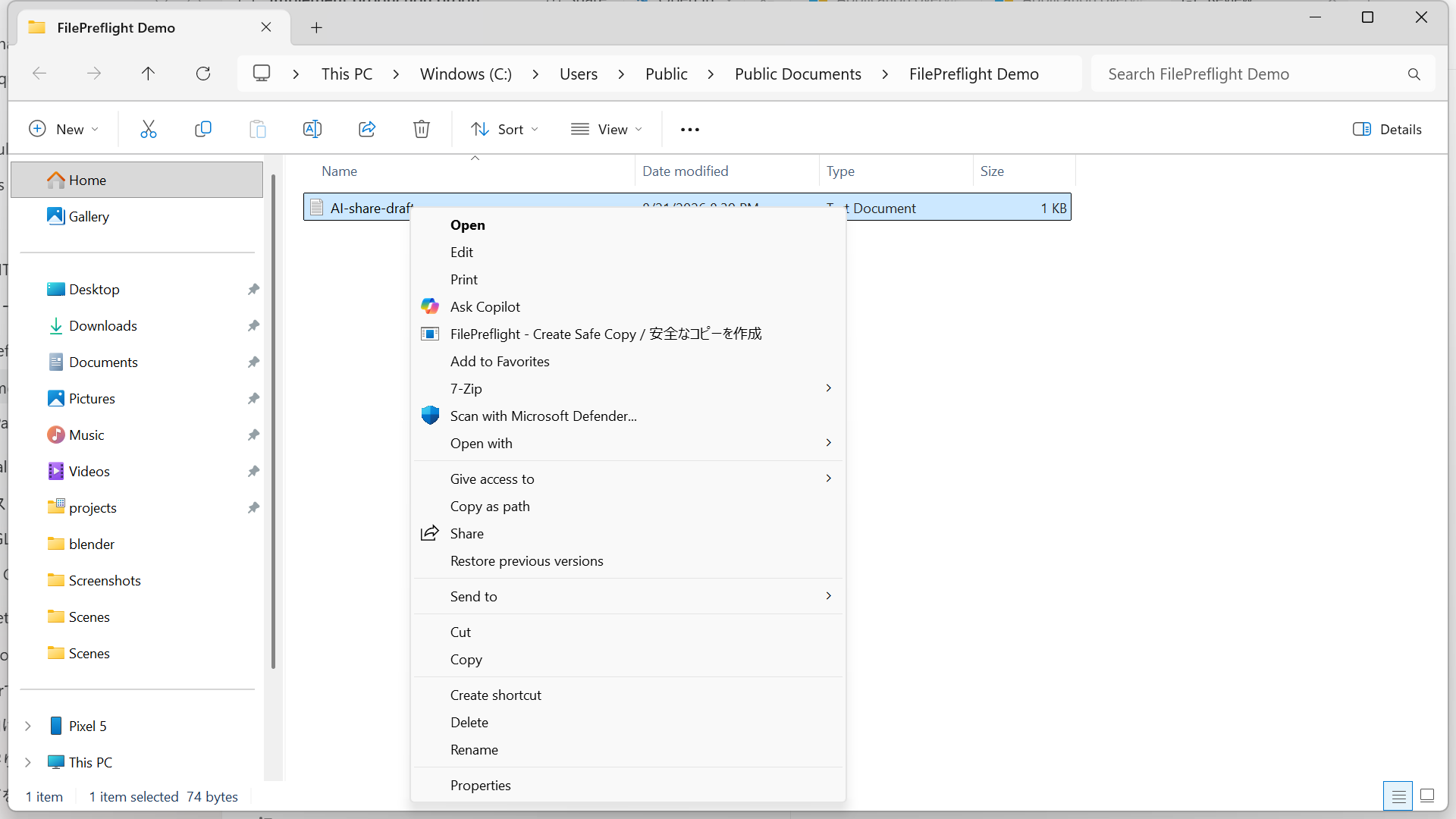
Identify the real format from content, then look for supported personal data, credentials, document metadata, and other selected risks.
Handle each selected finding with a method appropriate to the file format. The original file remains unchanged.
Open the output in a fresh worker, confirm that it is readable, and scan it again before saving the copy.
Privacy by architecture
The application processes file content, extracted content, OCR text, detected secrets, and derived file data on the device. Public test records are tracked separately in the evidence hub.
Choose the workflow you need
Product pages explain the FilePreflight workflow. Source-backed guides help with manual preparation and destination decisions.
See what stays local, where the cloud boundary begins, and which public evidence records are still pending.
Explore product page → Product workflowDocument privacy scanningUnderstand supported findings, post-check behavior, human review, and fail-closed outcomes.
Explore product page → PDFSanitize a PDF before ChatGPTCheck visible redaction, hidden content, OCR, metadata, and the exact upload copy.
Read guide → ExcelPrepare Excel for AI analysisReview hidden sheets, formulas, comments, links, properties, and re-identification risk.
Read guide →Evidence behind product claims
The public evidence hub separates test methods from release-build results. The synthetic PDF demo is clearly labeled as educational, not product output.
Initial Windows release
Free and Pro support the same launch formats with the same per-file processing quality.
Simple perpetual pricing
Free has no ads, watermarks, or quality reduction. Pro expands capacity, batching, and control.
Free
Free forever
$0
Pro
No subscription
$29once
Free is available on Microsoft Store, and Pro is available as a USD 29 one-time purchase. Both editions use the same per-file inspection and conversion quality.
After purchasing Pro
Use the Microsoft Store edition for the simplest trusted installation and update path.
Get the Free edition from Microsoft Store and open FilePreflight. You do not need an account.
Complete the USD 29 one-time purchase in Lemon Squeezy. Your receipt and order page include the license key.
In FilePreflight, choose “Activate Pro,” paste the license key, and activate up to three devices.
A direct installer may also appear on the order page, but it is an unsigned fallback and Windows SmartScreen may warn about it. Microsoft Store is recommended.
Transparency
App file processing happens on the device. File content, extracted content, OCR text, and detected findings are not uploaded by FilePreflight.
Pro purchase and activation process only information required for payment, licensing, and short-lived abuse prevention. File content and findings are never included. This site uses no analytics or advertising cookies.
Automated detection is best-effort. Results depend on the file structure, selected policy, supported format, and supported rules. FilePreflight cannot determine every fact that your organization considers confidential.
Review the output before sharing it. Unsupported formats and outputs that fail verification are not labeled as rechecked copies.
Free permits commercial use. Pro is a one-time USD 29 license for one user on up to three devices. Final purchase terms are shown before purchase.
Pro purchases are completed in the browser through Lemon Squeezy, the merchant of record. FilePreflight does not collect or store payment-card data.
FilePreflight assists with preparation; it does not replace your organization's approval process, legal obligations, or security controls.
Before replacing a PC, use “Deactivate Pro on this device” while online to return that device slot. If a device is unavailable or the three-device limit blocks activation, email contact@ai-labs.co.jp with your order number and purchase email. Do not send customer files or a full license key.
For a refund, payment issue, or product problem, email contact@ai-labs.co.jp with your Lemon Squeezy order number and purchase email. Lemon Squeezy handles the transaction and any approved refund under its process and applicable law. This does not limit a purchaser's statutory rights.
FilePreflight for Windows
Start free from Microsoft Store, or unlock folder, batch, destination, and custom-policy controls with Pro.